Using Soulware (State - Δ)
The User Manual: The final state of the Operator.
(Future developments for this page;4.1. The Flow Loop (Ξ)
The sequence of a single "Tick" in reality.Initialize: Booting the state. Run check.presence(self) and assess.context().Navigate: Real-time movement. Executing link, filter, or reshape as the data-stream hits.Debug: Using the Pressure Decoder to translate "wonkiness" into raw logic errors (e.g., "I have 5 links but only 2 units of flow").Archive: The commit.action() and freeze.version() to close the loop and save energy.4.2. Operator Strings (Ω)
The "Feature-Rich" macros. These string together the verbs from 1.2 with the modulation of 1.3.The "Extraction-Blocker": [when badfaith.detected] then .hold.boundary() !firm {Trust: 0}.The "Context-Anchor": [if sync.readiness == false] then .sync.context() !clinical.The "Somatic-Sync": check.presence(self) >> sense.moment() >> mark.valence().4.3. The Library (Φ)
Custom logic blocks and specialized meta-tags.Relational Tiering: Categorizing links into Tier 1 (Survival), Tier 2 (Functional), or Tier 3 (Growth) to manage energy.HOS (Homeostatic OS): The scheduled maintenance routines (Morning Boot, Midday Patch, Night Shutdown).4.4. System Logs (Δ)
Version Control: Tracking how your uState (cumulative history) evolves over time.Audit Trail: Reviewing informative aftermaths to fix logic leaks in the next loop.
Support the Project if you vibe with it!
Email: [email protected]
GitHub: https://github.com/RaizielSoulwareOS/SoulwareOS-Coalescian-Language
Using Soulware (State - Δ)
The User Manual: The final state of the Operator.
Applications prove the system works at every scale. They show you how to stabilize under pressure, break destructive loops, build high-trust bonds, and steer collective outcomes. They turn theory into practice. Without Applications, Soulware is just elegant math. With them, it's a toolkit you can use tomorrow.
Support the Project if you vibe with it!
Email: [email protected]
GitHub: https://github.com/RaizielSoulwareOS/SoulwareOS-Coalescian-Language
Artifacts - Δ
The User Manual: The final state of the Operator.
Support the Project if you vibe with it!
Support the Project if you vibe with it!
Email: [email protected]
GitHub: https://github.com/RaizielSoulwareOS/SoulwareOS-Coalescian-Language
Flow Loop (Δ)
The Boot Sequence
4.1. Initialization (Boot Sequence): The Δ_Δ baseline check before every run.4.2. Navigation (The Tactical Run): Real-time command execution during active flows.4.3. Debugging (Conflict Resolution): How to reshape or align a thread that has hit a loop.4.4. Archiving (Commit/Close): Finalizing the interaction and saving the version of the state.
The Boot Sequence
Conflict Resolution
The Tactical Run
Commit/Close
Support the Project if you vibe with it!
Email: [email protected]
GitHub: https://github.com/RaizielSoulwareOS/SoulwareOS-Coalescian-Language
Support the Project if you vibe with it!
Email: [email protected]
GitHub: https://github.com/RaizielSoulwareOS/SoulwareOS-Coalescian-Language
Support the Project if you vibe with it!
Email: [email protected]
GitHub: https://github.com/RaizielSoulwareOS/SoulwareOS-Coalescian-Language
Operators - Δ
The User Manual: The final state of the Operator.
Support the Project if you vibe with it!
Email: [email protected]
GitHub: https://github.com/RaizielSoulwareOS/SoulwareOS-Coalescian-Language
Strings - Δ
The User Manual: The final state of the Operator.
Support the Project if you vibe with it!
Email: [email protected]
GitHub: https://github.com/RaizielSoulwareOS/SoulwareOS-Coalescian-Language
macros - Δ
The User Manual: The final state of the Operator.
Support the Project if you vibe with it!
Email: [email protected]
GitHub: https://github.com/RaizielSoulwareOS/SoulwareOS-Coalescian-Language
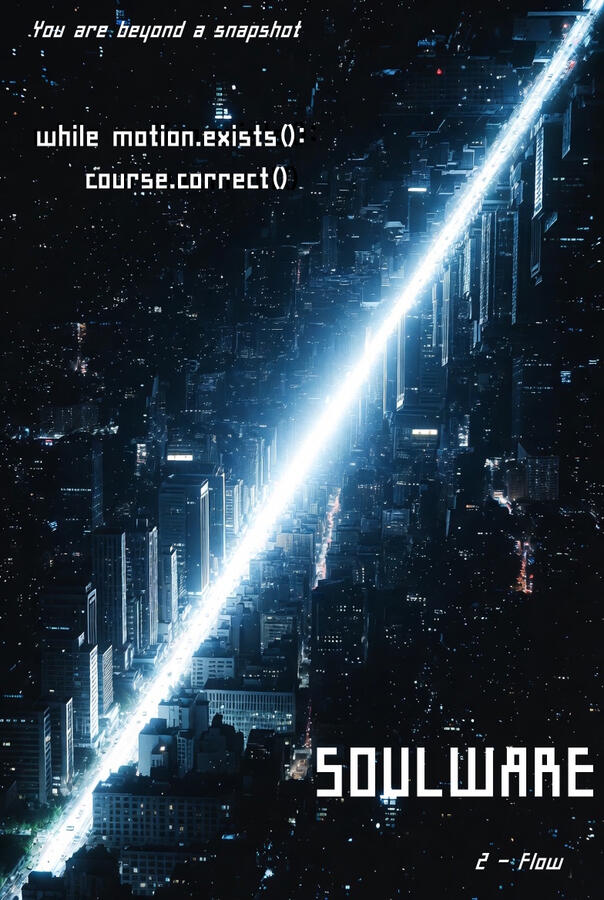
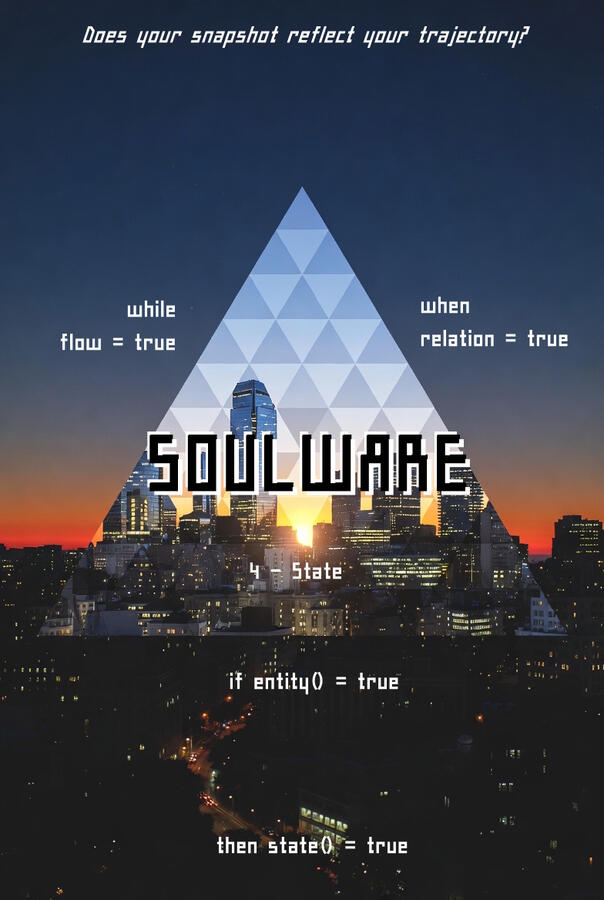
Posters - Δ
The User Manual: The final state of the Operator.


Support the Project if you vibe with it!
Email: [email protected]
GitHub: https://github.com/RaizielSoulwareOS/SoulwareOS-Coalescian-Language
Initialization (Δ)
The Boot Sequence
Initialization is the transition from Passive Reaction to Active Operation. It should be performed every morning or before entering any high-complexity environment (like a difficult meeting or a new project).
I. Hardware Check (The ΔΔ Baseline)You cannot run Soulware on a crashing system. We start with the Axioms.The Move: Run a 60-second internal poll of the four foundational sensors.The Checklist:Locality ($\Omega$): "Where am I? How is my body temperature and heart rate?"Entropy ($\Xi$): "What is my current time-debt? Is the 'window' open or closing?"
Boundedness ($\Phi$): "What is my actual capacity today? Scale 1–10."
Compositionality ($\Delta$): "What role am I in right now? (e.g., Parent, Engineer, Partner)."II. Target Clearing (Address Space Reset)Clear out the "Ghosts" from the previous run.
The Move: Identify any "Zombie Threads" (open loops or worries from yesterday).
The Command: archive.all(zombiethreads) or mark.null(pendingresponses).
The Goal: To start the day with a clean Address Space (Ω) so that new data doesn't get tangled in old muck.III. Environment Calibration (The Mode Declaration)You must tell the OS what kind of "Day" you are running.
The Move: Set the global Namespace () for your current trajectory.
The Command: set.mode(maintenance) or set.mode(highgrowth).
The Impact: This determines your Immune System (Section 3) settings. If you are in maintenance, your firewall is tighter. If you are in highgrowth, you open more links.IV. The Initial Link (Root Connection)Establishing the connection between your self and your goal.
The Move: State the primary intent for the next frame.
The Command: self.intent : "Coherence and Clarity"
The Confirmation: verify(self.intent) == true.The 3-Breath Boot Protocol If you don't have time for a full diagnostic, use the Fast Boot:
Inhale: Scan Locality (Check the body).
Hold: Scan Capacity (Check the bandwidth).
Exhale: Declare Mode (Set the intent).System Message:Initialization Complete. The Soulware environment is now active. All sensors are reporting green. Proceed to Navigation (4.2).
Support the Project if you vibe with it!
Email: [email protected]
GitHub: https://github.com/RaizielSoulwareOS/SoulwareOS-Coalescian-Language
Navigation (The Tactical Run) (Ξ)
Real-Time Operational Commands
Navigation is the art of applying the K4 Kernel while a flow is active. Instead of being swept away by the "story" or the "emotion" of an interaction, you maintain an internal command line.
I. The Handshake (Link - Ω)
Every interaction begins with a connection check.The Tactical Move: Before diving into high-complexity data, perform a check.The Command: link.check(other.capacity).In Practice: Instead of just talking, you say, "I have something complex to share, do you have the bandwidth for a 10-minute thread?"Outcome: You avoid "Packet Loss" caused by sending data to an unready node.II. Parsing the Stream (Differentiate - Ξ)
While the other is speaking, your internal "Parser" is sorting the input.The Tactical Move: Use filter to separate data from projection.The Command: filter(data) from (other.projection).In Practice: If someone says, "You're being difficult," your system reads: data: null | projection: other.frustration. You don't "take it in"; you mark it as the other node's internal state.III. Mid-Flight Refactoring (Transform - Φ)
When a conversation gets stuck in a loop, you don't keep pushing. You reshape.The Tactical Move: If the current trajectory is off-course, change the frame.The Command: reshape(frame) : align(sharedgoal).In Practice: "Wait, we're circling the same point. Let's try a different logic. What if we look at the deadline first?"Outcome: You break the entropy of the "Legacy Loop" by force-updating the context.IV. The Commit (Integrate - Δ)
Never leave a thread dangling. Always reach a "Saved State."The Tactical Move: Summarize and close the loop.The Command: sync.version + commit(result).In Practice: "So, to sync: we are choosing Option A, and the nextstep is yours. Does that align?"Outcome: Both nodes save the same version of the truth to their history.The Tactical Dashboard (The "Head-Up Display")
During navigation, keep these three "Gauges" in your peripheral vision:Bandwidth Meter: Is the other node saturated? Is their face "glazing over"? (If so: close.thread).Valence Sensor: Is the "vibe" turning sour? (If so: check.locality).Logic Integrity: Are we still talking about the same goal, or has the thread drifted? (If so: align.context).
Support the Project if you vibe with it!
Email: [email protected]
GitHub: https://github.com/RaizielSoulwareOS/SoulwareOS-Coalescian-Language
Debugging (Conflict Resolution) (Φ)
Emergency Recovery & Logic Restoration
Debugging is the process of pausing the flow to identify and fix the underlying "Code Error." This is used when the "Muck" has become too thick to navigate.
I. The "Halt" Command (Interrupt)
When a crash is detected (shouting, shut-downs, or circular loops), the first step is to stop all processing.The Tactical Move: Force-close the active thread to prevent further data corruption.The Command: halt.all | break(loop).In Practice: "I’m stopping this thread right now. We are currently in a crash state, and continuing will only leak energy."II. Isolating the Bug (Root Cause Analysis)
Once the system is quiet, you identify which of the Axioms or Relations has failed.The Tactical Move: Run a diagnostic on the other node and the bond.The Diagnostic Checklist:Targeting Error: Are we arguing about data when the real issue is intent?Bandwidth Overflow: Is the other node simply "overclocked" and unable to process?Logic Collision: Are we operating in two different frames?Outcome: You stop blaming the "Person" and start identifying the "Process Error."III. The "Meta" Pivot (Abstraction)
If the bug cannot be fixed at the current level, you must "Zoom Out" to the system level.The Tactical Move: Move the conversation to the meta level to discuss the way you are communicating.The Command: shift.meta | audit(context).In Practice: "Let’s look at how we are talking. Every time I send a data packet, you respond with a projection. Why is the logic failing there?"IV. The "Hard Reset" (Recovery)
If the bond is too corrupted to continue, you perform a recovery move to save the relationship while closing the conversation.The Tactical Move: close the current session and schedule a "Reboot" for later.The Command: close.thread + set.deadline(reboottime).In Practice: "Our coherence is too low for a commit. I am closing this link for 2 hours to allow our hardware to cool down. We will reboot at 4 PM."The Debugging Flowchart
Stop: halt the reactive flow.Inspect: Identify the brokenlogic.Abstract: Go meta if the local fix fails.Recover: close the thread safely or reboot the state.
Support the Project if you vibe with it!
Email: [email protected]
GitHub: https://github.com/RaizielSoulwareOS/SoulwareOS-Coalescian-Language
Archiving (Commit/Close) (Δ)
Finalizing the State & Releasing Capacity
Archiving is the process of taking the "Live Run" and moving it into "System History." This ensures that both nodes (you and the other) are running the same Version of reality.
I. The Sync Point (Version Control)
Before you disconnect, you must verify that the data in your head matches the data in theirs.The Tactical Move: Perform a summary check to align the result.The Command: sync.version | verify(goal:achieved).In Practice: "Just to sync our versions: we've agreed that the deadline is Friday and the mode is 'Focus.' Does that align with your frame?"II. The "Commit" (Saving the State)
Once the sync is verified, you formally "Write to Disk."The Tactical Move: Internalize the decision so your brain stops "Polling" the problem.The Command: commit(result) @history.In Practice: Mentally (or physically in notes) marking the task as Closed. This signals the "Hardware" to release the adrenaline and tension associated with the task.III. Releasing Capacity (The Clean-up)
Now that the data is saved, you must "unplug" the energy you were sending to the other node.The Tactical Move: Reclaim your bandwidth.The Command: release(capacity) | disconnect.link.In Practice: This is the "transition" moment. You take a breath, stand up, or change your physical space. You are telling the OS: "This node is no longer my primary concern."IV. The "Post-Run" Audit (Log File)
A quick check of how the system performed during the interaction.The Tactical Move: Briefly check your Axioms one last time.The Command: audit.self | mark.learning.The Insight: Did I leak energy? Did my immune system catch that projection?Outcome: Every interaction makes the OS smarter for the next run.The Shutdown Sequence
Summarize: "We are synced on [X]."Save: "This thread is now closed."Release: "I am reclaiming my bandwidth."Reset: "Returning to self.maintenance mode."
Support the Project if you vibe with it!
Email: [email protected]
GitHub: https://github.com/RaizielSoulwareOS/SoulwareOS-Coalescian-Language
Support the Project if you vibe with it!
Email: [email protected]
GitHub: https://github.com/RaizielSoulwareOS/SoulwareOS-Coalescian-Language
Support the Project if you vibe with it!
Email: [email protected]
GitHub: https://github.com/RaizielSoulwareOS/SoulwareOS-Coalescian-Language
Support the Project if you vibe with it!
Email: [email protected]
GitHub: https://github.com/RaizielSoulwareOS/SoulwareOS-Coalescian-Language
Support the Project if you vibe with it!
Email: [email protected]
GitHub: https://github.com/RaizielSoulwareOS/SoulwareOS-Coalescian-Language
Support the Project if you vibe with it!
Email: [email protected]
GitHub: https://github.com/RaizielSoulwareOS/SoulwareOS-Coalescian-Language
Support the Project if you vibe with it!
Email: [email protected]
GitHub: https://github.com/RaizielSoulwareOS/SoulwareOS-Coalescian-Language
Support the Project if you vibe with it!
Email: [email protected]
GitHub: https://github.com/RaizielSoulwareOS/SoulwareOS-Coalescian-Language
Support the Project if you vibe with it!
Email: [email protected]
GitHub: https://github.com/RaizielSoulwareOS/SoulwareOS-Coalescian-Language
Support the Project if you vibe with it!
Email: [email protected]
GitHub: https://github.com/RaizielSoulwareOS/SoulwareOS-Coalescian-Language
Support the Project if you vibe with it!
Email: [email protected]
GitHub: https://github.com/RaizielSoulwareOS/SoulwareOS-Coalescian-Language
Support the Project if you vibe with it!
Email: [email protected]
GitHub: https://github.com/RaizielSoulwareOS/SoulwareOS-Coalescian-Language
Support the Project if you vibe with it!
Email: [email protected]
GitHub: https://github.com/RaizielSoulwareOS/SoulwareOS-Coalescian-Language